Configuration wizard General information
Beas includes a Configuration Wizard. This greatly simplifies the commissioning of SAP Business One and Beas.
The wizard helps project managers to configure the parameters in SAP Business One and Beas.
PATH: Adminsitration > System Initialization > Configuration wizard.
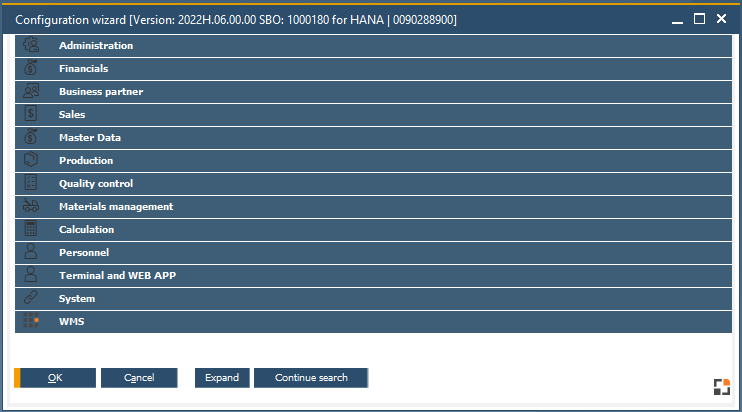
Window system_option_struktur.psr
The Setup Wizard is divided into different sub-menu items. Once each sub-menu item has been processed using the wizard, Beas is fully configured and ready for use.
The Configuration wizard uses flags to show which parameters still have to be configured. There are three different flags, and a flag is set to red by default. Once you specify settings, you must manually set the flag to orange or green.
•Red flag: Settings not yet configured.
•orange flag: Settings partially configured. Further settings must still be configured.
•Green flag: Settings complete.
Functions

Function |
Description |
|---|---|
Refresh Window |
Refresh the Configuration wizard to reflect latest changes |
Expand |
Expand the setting groups to see all parameters within. |
Collapse |
Collapse setting groups. |
History |
Select this option to open the Change log displaying all changes. |
History current Entry |
Select this option to open the Change log displaying changes for the current entry. Note: changes are also logged on import. |
Search |
The settings text and help text is searched. Search: New search with a new keyword. Continue search: Resume searching with the same keyword from last position. |
Export / Import |
Import / export the entered settings, which then are stored in the customer-specific project directory. Save the Setup.ini file there. This file can then be imported later, therefore these settings only have to be configured once. |
Info |
Click this button to store a comment to each setting. See the blue bar at the bottom of the Setup Wizard for this. |
Last Messages |
Last messages |
•Each parameter is described in the last line.
•Complex parameters have extended documentation which is displayed directly. Some descriptions are dependent on the stored option.
•To avoid incorrect settings, warning messages are displayed where applicable.
•Unnecessary settings are automatically hidden.
•Add-ons and customer-specific extensions can also be integrated into the Setup Wizard. For example: WMS.
•Print preview function. For this, you have the option of using the symbol  in the upper menu bar or the second option of right-clicking and selecting the "Preview" option.